
Starred offers two AI features to help you understand your candidate experience data and identify what to improve:
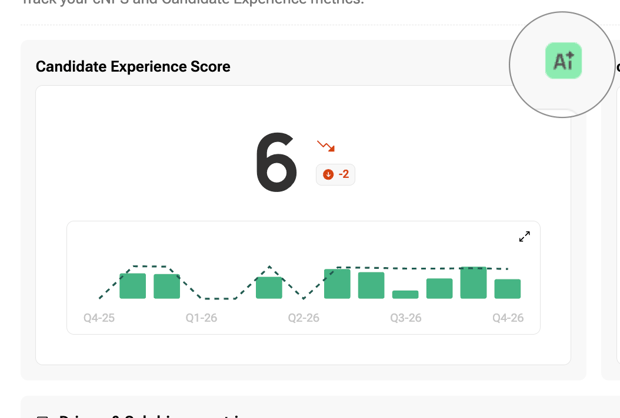
- Contextual AI: Analyse an individual chart and get insights tailored to the data, filters and date range you’re viewing.
- Starred AI Assistant: Ask questions about your company’s candidate experience data through a chat interface and explore the results in more detail.
Choose your AI feature
This makes the difference between the two features clear.
|
Contextual AI |
Starred AI Assistant |
|
|---|---|---|
|
Where to find it |
The AI button on CES, cNPS, driver, Priority Matrix and heatmap charts |
Explore Insights > Starred AI Assistant |
|
Who can use it |
Anyone who can view the dashboard |
Admins only |
|
Data used |
The data shown in the chart, including its scope, date range and filters |
Company survey data within your access permissions |
|
What it provides |
Key metrics, strengths, improvement areas, AI analysis and follow-up questions |
A chat where you can ask questions and review saved conversations |
Ask the Starred AI Assistant
Go to Explore Insights > Starred AI Assistant to start a conversation about your candidate experience data.
You can start a new conversation or return to a saved conversation under Conversations.
Try asking questions such as:
- Give me a quick overview of candidate experience in the selected period.
- What are the top factors driving our current cNPS?
- What are the most common reasons detractors and passives gave low scores?
- What strengths are promoters highlighting most often?
- How does the selected period compare with the previous equivalent period?
Questions can contain up to 500 characters. You can rate each answer using thumbs up or thumbs down.
The Assistant only answers questions about candidate experience data.
Good to know
- Availability: Starred AI is enabled for your company once the AI addendum has been signed. If it isn’t enabled, the AI buttons and Assistant menu item are hidden.
- Read-only access: Both AI features explain your data and suggest areas to investigate. They can’t change, export or send anything on your behalf.
- Data access: Contextual AI uses the same data scope, date range and filters as the chart you open it from. The Assistant uses company survey data within your access permissions.
- Candidate comments: AI may quote candidate comments word for word. Candidate names aren’t sent to the AI.
- Language: The interface is currently available in English only.
- Accuracy: AI-generated content may not always be accurate. Verify important information before acting on it.
When Contextual AI is unavailable
Contextual AI is temporarily unavailable when custom-field filters or Include Discovery are active. The panel displays a message explaining that support for these options is coming soon.